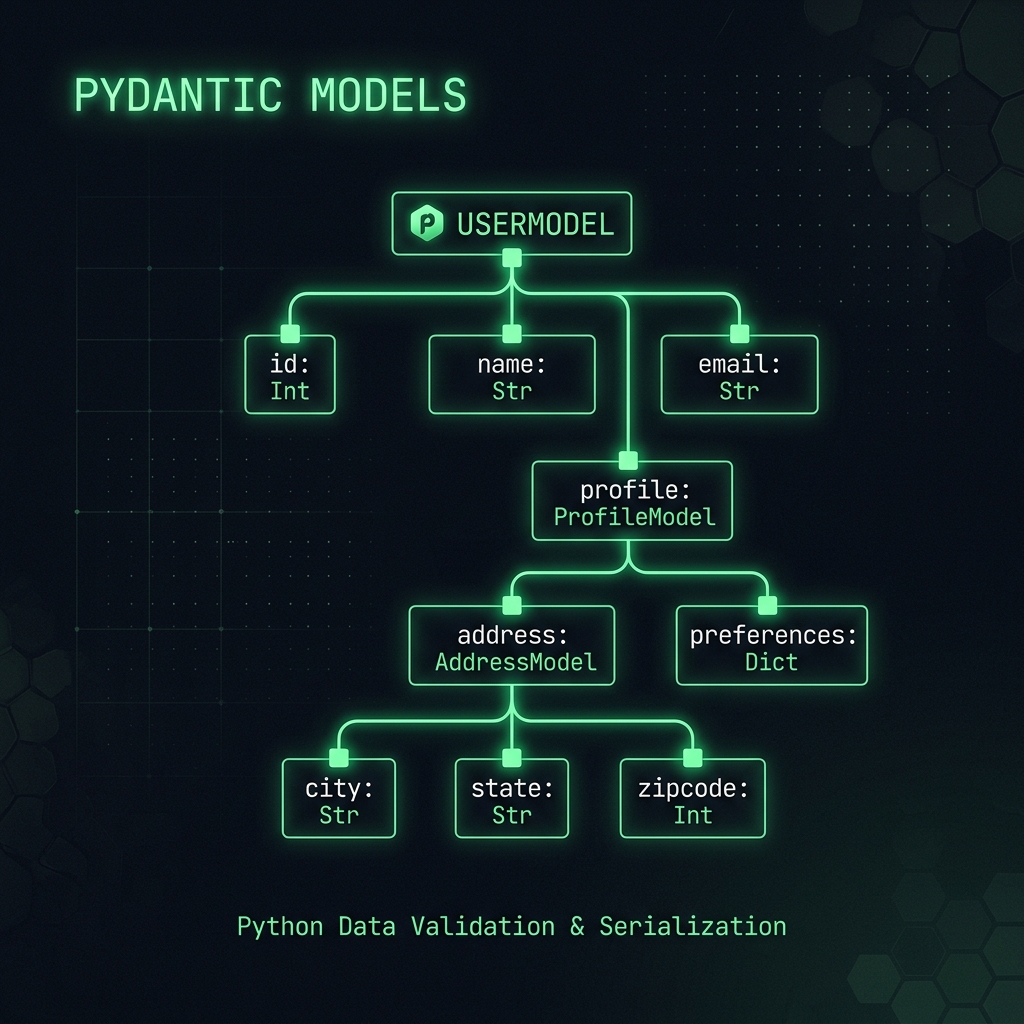
When designing large data pipelines or REST APIs, Pydantic schemas rarely stay flat. Models nest inside models, which nest inside generic containers like list[...] or dict[str, ...], often unioned with optional branches like list[InnerNode | AnotherInnerNode].
When you want to inspect or debug a complex model hierarchy, what do you usually do? You probably reach for Model.model_fields. But try printing that on a deeply nested schema, and you get a flat dictionary of FieldInfo objects with unreadable string representations. It tells you the immediate fields, but it won’t traverse into generic arguments to tell you what sub-models are waiting inside container types.
How do we recursively unpack arbitrary type annotations at runtime and visualize the entire model schema as an intuitive tree?
The Challenge: Unpacking Generic Types
To traverse nested models, we have to solve a tricky problem: how do you know what types are tucked inside a composite type hint like list[Union[ModelA, ModelB]]?
Python’s typing module gives us two key introspection tools:
get_origin(type_): Returns the unsubscripted container type (e.g., get_origin(list[int]) returns list).
get_args(type_): Returns a tuple of generic type arguments (e.g., get_args(list[int]) returns (int,)).
By combining get_args() with recursion, we can extract every BaseModel subclass buried inside nested unions, lists, and dicts:
def extract_model_types(type_: type) -> Generator[type[Any]]:"""Recursively extract model types from a composite type."""if is_pydantic_model(type_):yield type_for arg in get_args(type_):yieldfrom extract_model_types(arg)
With this unwrapping utility in hand, we can build a full recursive tree generator using the rich library.
Building the Tree Walker
Here is the complete implementation. It parses field annotations, formats generic types cleanly, and constructs a visual hierarchy using rich.tree.Tree:
Show the code
# pyright: reportAny=false, reportExplicitAny=falsefrom collections.abc import Generatorfrom typing import Any, TypeVar, get_args, get_originfrom pydantic import BaseModelfrom rich.console import Consolefrom rich.markup import escapefrom rich.tree import Treeconsole = Console()COLORS = ["cyan", "green", "yellow", "orange", "red", "magenta", "blue"]TYPE_COLOR ="bright_black"Model = TypeVar("Model", bound=BaseModel)def create_label(name: str, color: str, type_str: str|None=None) ->str:"""Create a formatted label for the tree."""if type_str:returnf"[{color}]{name}[/{color}]: [{TYPE_COLOR}]{type_str}[/{TYPE_COLOR}]"returnf"[{color}]{name}[/{color}]"def is_pydantic_model(type_: Any) ->bool:"""Check if a type is a Pydantic model."""try:returnissubclass(type_, BaseModel)exceptTypeError:returnFalsedef get_model_fields(type_: type[Any]) -> Generator[tuple[str, Any]]:"""Yield the fields and their types for a given model."""if is_pydantic_model(type_):for name, info in type_.model_fields.items():yield name, info.annotationdef get_type_name(type_: Any) ->str:"""Get the name of a type, or its string representation if it has no name."""try:return type_.__name__exceptAttributeError:returnstr(type_)def type_to_string(type_: type) ->str:"""Convert a type to a string representation. Handles generic types like `list[int]` and `Union[str, int]`. """ origin = get_origin(type_)if origin isNone:return get_type_name(type_) args_str =", ".join(type_to_string(t) for t in get_args(type_)) base_type = get_type_name(origin)returnf"{base_type}[{args_str}]"def extract_model_types(type_: type) -> Generator[type[Any]]:"""Recursively extract model types from a composite type."""if is_pydantic_model(type_):yield type_for arg in get_args(type_):yieldfrom extract_model_types(arg)def build_tree(model: type[Any], tree: Tree, level: int=0) ->None:"""Recursively build a tree representation of a model."""for name, field_type in get_model_fields(model): color = COLORS[level %len(COLORS)] type_str = escape(type_to_string(field_type)) label = create_label(name, color, type_str) child_tree = tree.add(label) model_types =list(extract_model_types(field_type))iflen(model_types) ==1and model_types[0] is field_type: build_tree(model_types[0], child_tree, level +1)continuefor model_type in model_types: sub_tree_label = create_label(model_type.__name__, COLORS[level +1]) sub_tree = child_tree.add(sub_tree_label) build_tree(model_type, sub_tree, level +2)def display_tree(model: type[Any]) ->None:"""Print a colorful, tree-like representation of a model to the console.""" tree = Tree(create_label(model.__name__, COLORS[0])) build_tree(model, tree) console.print(tree)
Putting It into Practice
Let’s test this with a realistic nested schema containing unions, lists, and dictionaries:
When run in your terminal, rich renders the full model structure with color-coded nesting levels, making it immediately obvious how data flows through composite types.